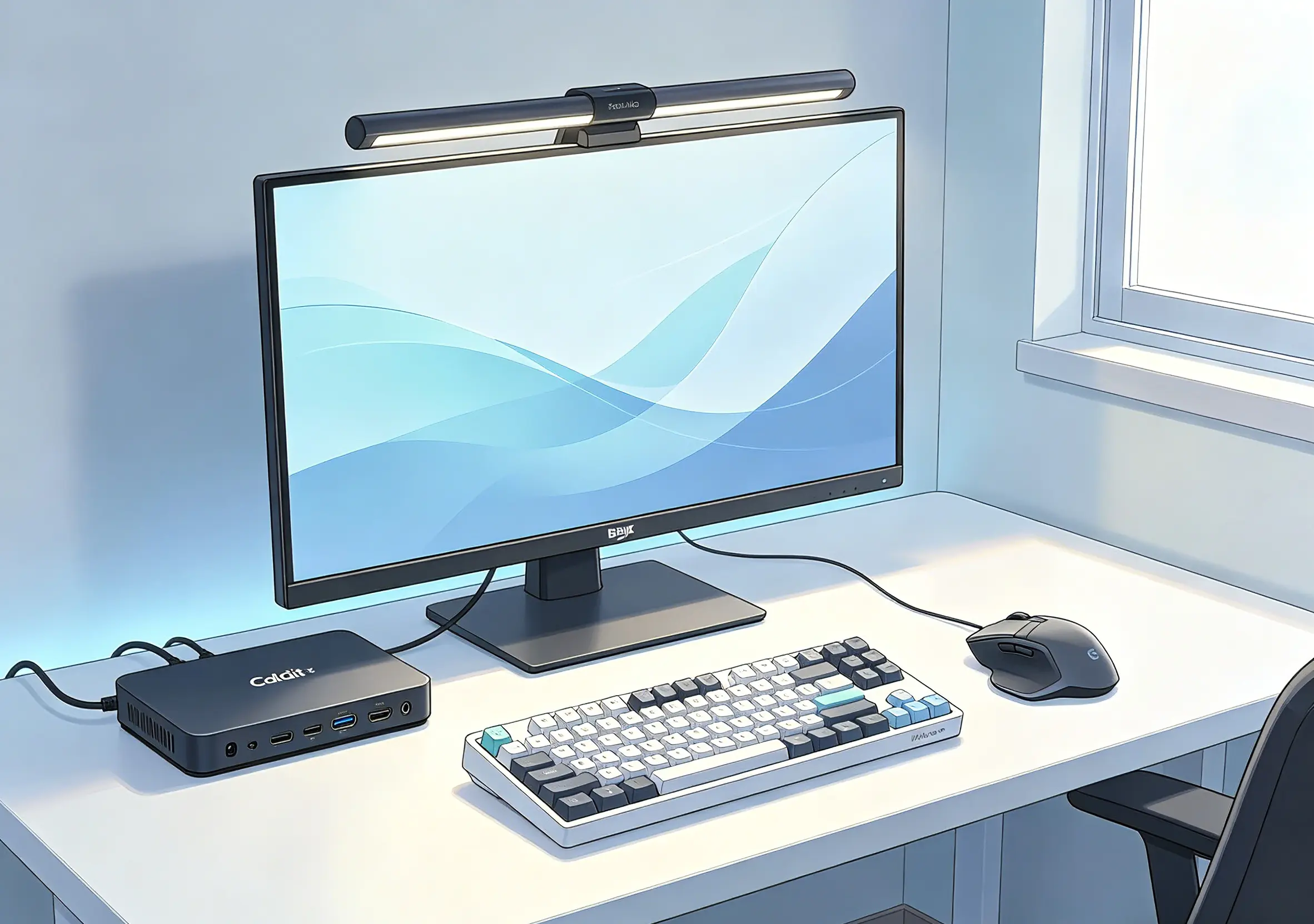
A clean desk is often the precursor to clean code. For those of us who spend ten hours a day staring at a terminal, our workspace isn’t just a desk—it’s an extension of our cognitive process. When your tools “disappear” into your workflow, you reach that elusive state of Flow where the world melts away, and only the logic remains.
If you’re looking to transition from a cluttered setup to a high-performance sanctuary, here is the “One-Cable” blueprint for the modern developer.
1. The Nerve Center: CalDigit TS4 Thunderbolt 4 Dock
The foundation of any minimalist setup is the death of cable clutter. The CalDigit TS4 is widely considered the “Gold Standard” for a reason.
The One-Cable Magic: With a single Thunderbolt 4 cable, you’re not just charging your laptop at a blistering 98W; you’re connecting dual 4K monitors, high-speed NVMe drives, and your entire peripheral suite.
The Feeling of Freedom: There is a specific psychological lightness that comes with unplugging one cord and being “mobile-ready” in a second. With 18 ports of pure utility, it’s the only hub you’ll ever need.
2. The Precision Tool: Logitech MX Master 3S
There is a reason you see this mouse on the desk of almost every Senior Engineer.
Silence & Speed: The MagSpeed Electromagnetic scroll wheel allows you to flick through thousands of lines of logs in a second, yet stop on a dime with pixel-perfect precision.
Ergonomic Mastery: It’s designed to cradle your hand in a natural position, preventing the “developer’s wrist” that plagues so many in our industry. The side thumb-wheel for horizontal scrolling is a game-changer for navigating wide codebases or sprawling spreadsheets.
3. Defining the Focus Zone: BenQ ScreenBar Halo
When the sun goes down and the “Deep Work” begins, lighting is everything.
Asymmetric Optical Design: Unlike a traditional desk lamp, the ScreenBar Halo illuminates your workspace without a single bit of glare on your screen. It’s the difference between eye strain and visual comfort.
The Midnight Ritual: The wireless controller allows you to dial in the perfect color temperature. Turning on the back-light creates a “halo” effect against your wall that anchors your focus, signaling to your brain that it’s time to build.
4. The Input Philosophy: HHKB vs. Keychron
Your keyboard is your primary interface with the digital world. Choosing one is a statement of intent.
The Purist’s Choice: HHKB Professional HYBRID Type-S Often called the “Endgame” by Unix veterans, the HHKB is the “monk” of keyboards. Its legendary Topre electrostatic capacitive switches provide a tactile feel that enthusiasts describe as “typing on buttered clouds.” The compact 60% layout keeps your hands centered, minimizing fatigue during marathon coding sessions.
The Enthusiast’s Choice: Keychron Q-Series If you prefer the satisfying heft of a CNC-machined aluminum chassis, the Keychron Q-series is your masterpiece. It’s fully customizable and supports QMK/VIA, allowing you to remap every single key to match your IDE shortcuts. It’s heavy, it’s premium, and every keystroke feels intentional.

The Flow-State Checklist
“The best tools don’t scream for your attention; they provide the silent support you need to do your best work.”
CalDigit TS4 Dock — Define your order.
Logitech MX Master 3S — Master your navigation.
BenQ ScreenBar Halo — Claim your focus.
HHKB Professional HYBRID Type-S — Find your rhythm.
Keychron Q-Series — Command your input.